

NEWNew: Agent is live — chat to generate videos, no parameters neededTry Agent
LogoAI Santa Video
  • AI Santa Video
  • Studio
  • Agent
  • AI Image
  • AI Video
  • PricingUp to 50% off
Fully launched and accessible to all public community membersJanuary 2026

Flux 2 Klein Image Generator

A streamlined, high-speed FLUX 2 workflow here, Flux 2 Klein delivers snappy image creation and reference-assisted edits. It’s ideal for rapid concept adjustments, low-barrier creative testing, or a FLUX-aligned pipeline that reduces the time spent cycling through iterations of your work.

Loading...

Prompt:

1:1

4:3

3:4

16:9

9:16

Model:

Loading...

Scene Examples 1
How to Work With Flux 2 Klein

Start using Flux 2 Klein on this page to shorten image iteration time and simplify low-effort experimental creative tasks

Begin with a focused scene description, keep your prompts simple enough to compare across multiple versions, and only use reference images when a small number of visual guides will make your output match your idea much better.

01

Create a focused prompt for one clear visual concept

Define your subject, setting, lighting, and one specific mood so your prompt is fast to iterate on.

02

Add only a small number of reference images when they’re helpful

Stick to three or fewer reference images if you need your concept to align closely with an existing product, color palette, or scene plan.

03

Test quick variations instead of overcomplicating one prompt request

Make small, sequential prompt changes to stay on track and quickly see which direction the model works best in.

Core Advantages of Flux 2 Klein

What Makes Flux 2 Klein Stand Out When Speed Is Most Important

Flux 2 Klein is the simplified FLUX choice here. It works best when speed, local-style iteration, and quick turnaround times are more important than perfect final polish.

Fast Enough for Local-Focused Testing

Flux 2 Klein is ideal if you want the FLUX family’s look and editing style, but prefer a workflow focused on fast iteration instead of high-end finishing details.

This makes it great for fast concept checks and repeated visual testing.
It’s a better choice when turnaround time is more important than final presentation polish.
This model serves as a solid, faster entry point to the FLUX family.

A Smart Pick for Fast Portraits & Style Sketches

Flux 2 Klein works well when you need subject, outfit, and mood to line up quickly, without the extra cost of a more heavy rendering pipeline.

This lets you make fast portrait concepts and early campaign plans.
It keeps your workflow moving when you need multiple variations fast.
Use this tool while you’re still figuring out your visual direction.

Fast Room & Environment Revisions

Flux 2 Klein also does well with interior updates, room plans, and simple environment-focused requests when you need flexible results.

It’s great for layout adjustments, room styling, and quick before-and-after direction work.
This workflow is easy to repeat for different creative directions.
This makes it perfect for speed-focused concept checks.

Perfect for Fast-Turnaround Social Media Creative Projects

Flux 2 Klein is a good fit for social media launches, drink promotions, and quick ad variations when you want decent results without waiting on a heavier model.

This works great for quick campaign tests and seasonal social media visuals.
This model keeps generation time and costs aligned with exploratory creative work.
Use this when output volume and speed are more important than final polish.
Top Use Cases

Best Situations for Flux 2 Klein

Flux 2 Klein shines when your focus isn’t one flawless final image, but instead covering multiple ideas fast, doing quick tests, and comparing multiple versions of your work easily.

Fast Product & Social Media Ideas

Use this for quick product hero drafts, social media visuals, or early campaign runs when speed is more important than full polish.

Mood Board & Style Exploration

It’s great for testing color schemes, materials, lighting angles, or scene moods before switching to a more demanding model.

Simplified image-to-image Iterations

Add a small group of reference images when you need your concept to fit an existing product or layout closely, without needing a complex edit setup.

High-Volume Testing

Use Flux 2 Klein when your work’s value comes from making many realistic options quickly, rather than focusing too much on polishing one result too soon.

Prompt Prompt Formulas & Real Examples

Creating Better Flux 2 Klein prompts: Real-World Practical Examples

These examples are specific and visual. Flux 2 Klein works best when your prompt is clear enough to let you compare multiple variations quickly.

Fast Product Brainstorming

Top-tier prompt Alignment Benchmark Criteria

Ideal for quick product variations where the outline stays the same, and the main focus is color, material, or mood.
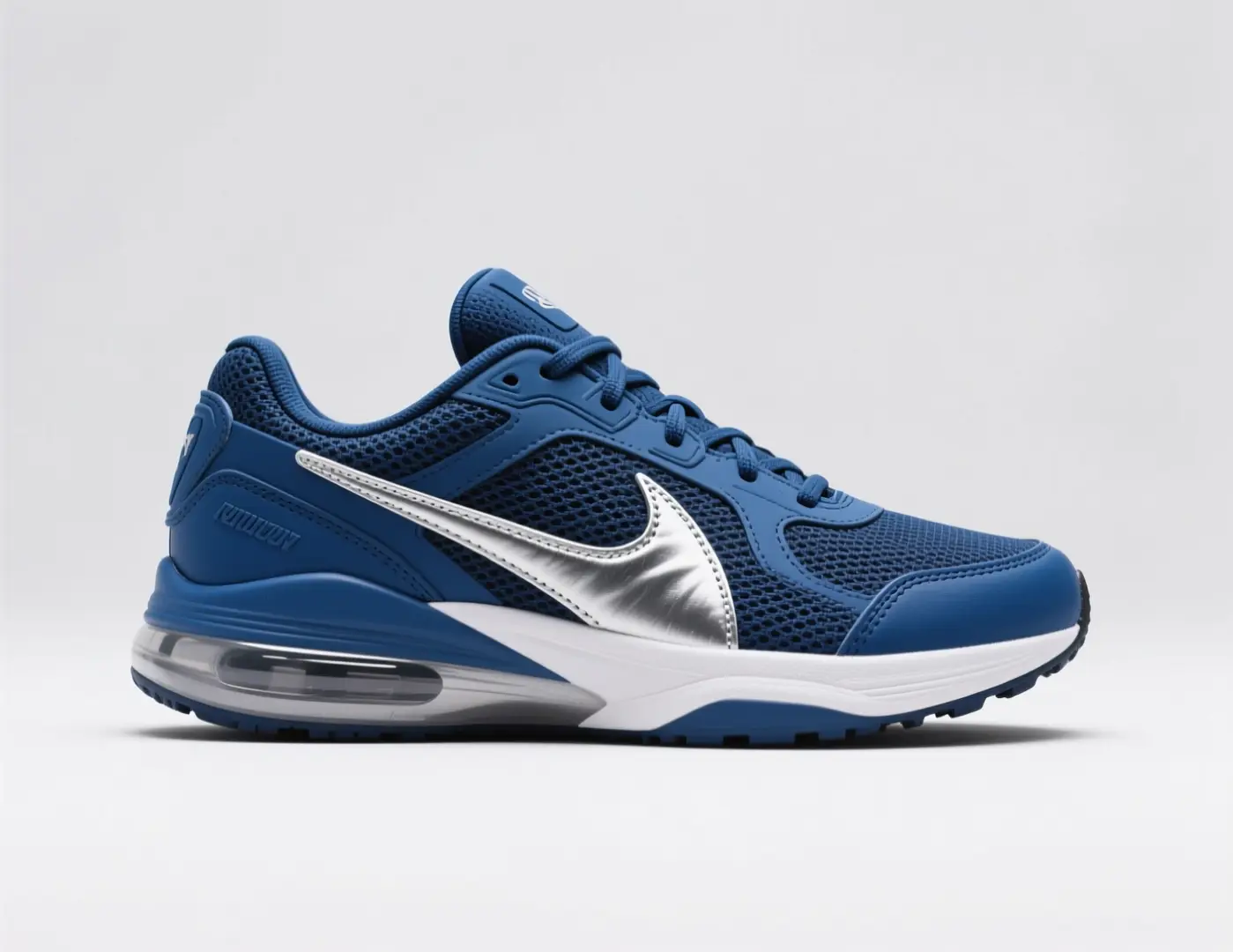
A quick sneaker colorway idea with one distinct outline, new materials, and a campaign-style backdrop.

Fast Sneaker Colorway Idea

Vetted industry-standard Prompt best-practice generation workflow guide

[hero product] + [camera angle] + [colorway] + [materials] + [campaign mood]

Explore Full prompt Documentation and Technical SpecsShow Entire Detailed Breakdown

Thorough prompt Breakdown and Summary

Make a fast sneaker concept image with one main side view on a plain background. Use a blue and silver color palette, textured mesh parts, polished metal details, and a bright sports campaign mood. Keep the layout simple and focused on the product, like a quick concept render for a footwear review summary.

Key Functional Building Blocks That Allow This Prompt To Produce Exceptional, High-quality Outputs

This prompt centers on one product, angle, and material choice, so comparing multiple versions is fast.

Target Final Generated Project Result

A quick product variation idea to compare color and material options.

Pro Insider Tips for Creative Industry Specialists

  • Keep the outline the same when your main focus is color or material changes.
  • Leave out extra items unless they’re key to the concept you’re testing.
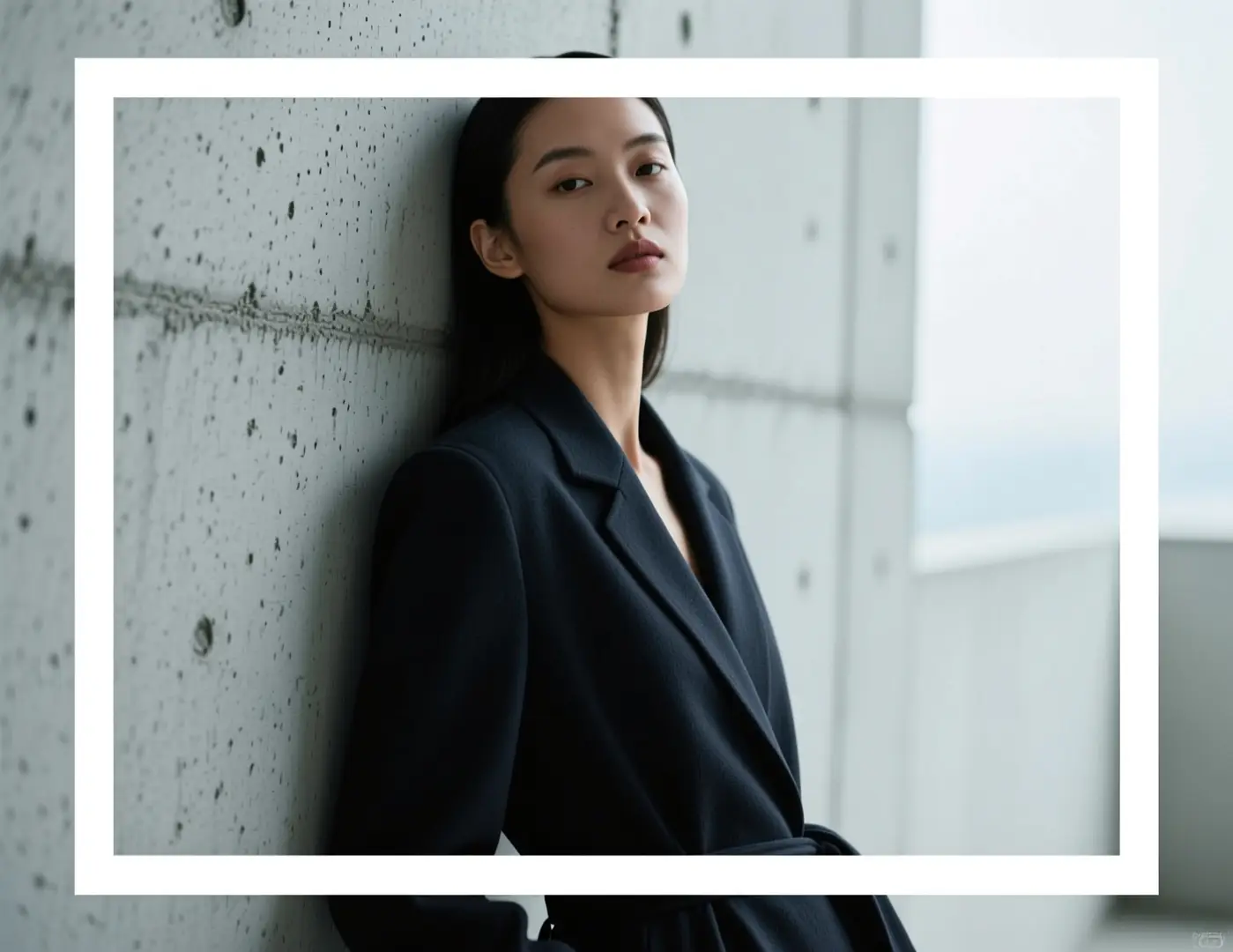
Portrait Brainstorming

Top-tier prompt Alignment Benchmark Criteria

Great for quick portrait direction tests before using a heavier rendering process.

An editorial portrait idea with a straight pose, simple setting, and regulated lighting mood.

Editorial Portrait Idea

Vetted industry-standard Prompt best-practice generation workflow guide

[subject] + [pose] + [location] + [lighting] + [editorial mood]

Explore Full prompt Documentation and Technical SpecsShow Entire Detailed Breakdown

Thorough prompt Breakdown and Summary

Make an editorial portrait concept of a model leaning on textured concrete, with soft cloudy lighting. Use a calm, straight pose, dark charcoal clothes, soft skin tones, and a modern magazine look. Keep the frame neat and graphic, avoiding overly dramatic extras.

Key Functional Building Blocks That Allow This Prompt To Produce Exceptional, High-quality Outputs

Flux 2 Klein performs best when your prompt has one subject, one lighting setup, and a clear editorial idea.

Target Final Generated Project Result

A quick portrait direction test for editorial mood or campaign planning.

Pro Insider Tips for Creative Industry Specialists

  • Stick to one lighting direction instead of multiple conflicting setups.
  • Keep the setting simple when testing pose and outfit styles.
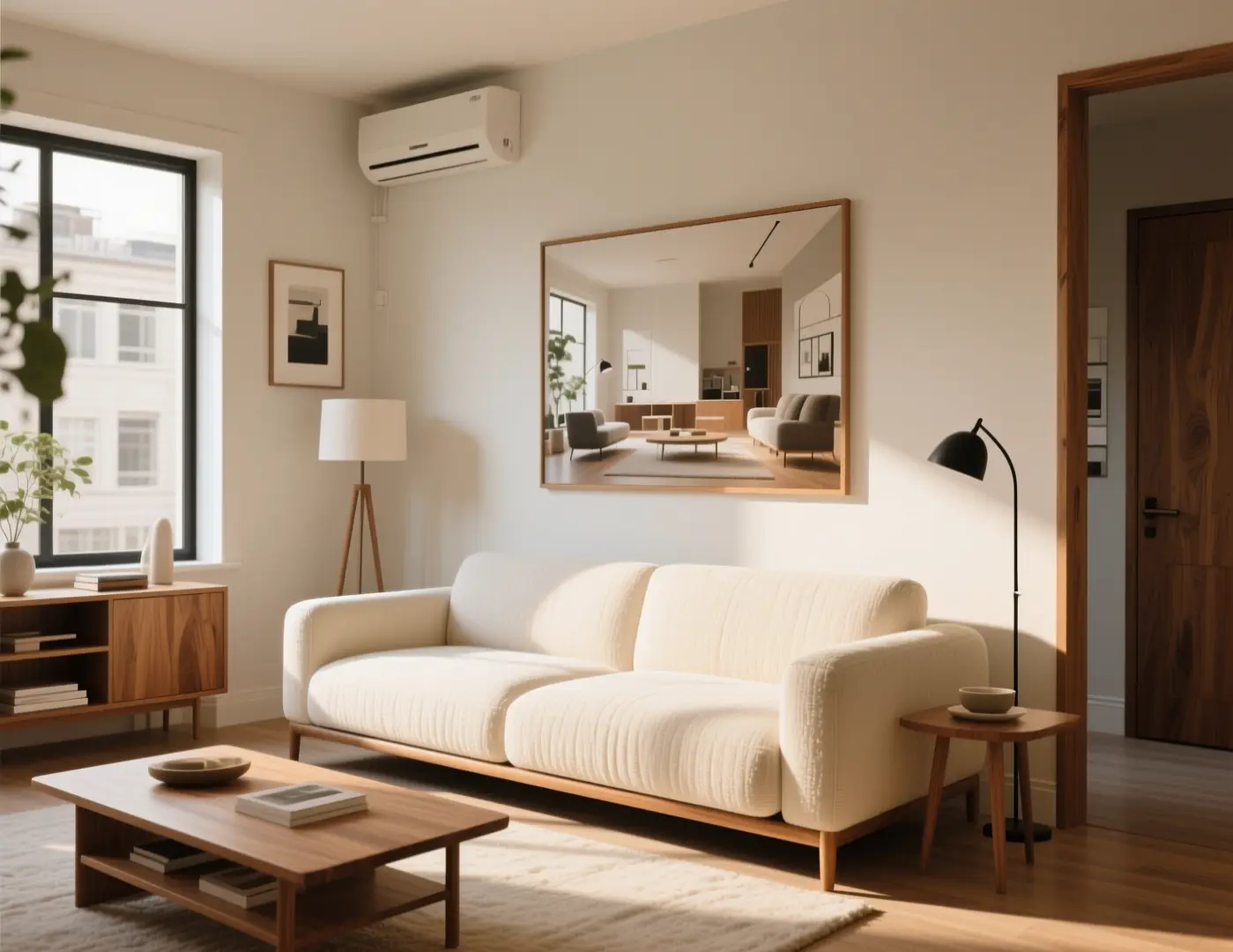
Interior Brainstorming

Top-tier prompt Alignment Benchmark Criteria

Ideal for simple room direction changes when you need to compare new style options fast.

A quick room refresh idea with new materials and a more refined, high-end home mood.

Fast Room Refresh Idea

Vetted industry-standard Prompt best-practice generation workflow guide

[room type] + [what changes] + [materials] + [light] + [design mood]

Explore Full prompt Documentation and Technical SpecsShow Entire Detailed Breakdown

Thorough prompt Breakdown and Summary

Make a fast room refresh concept for a small studio living area. Use warm wood finishes, soft cream fabric, a low couch, and gentle afternoon daylight. Keep the layout realistic and easy to compare, like a quick interior direction board rather than a final render.

Key Functional Building Blocks That Allow This Prompt To Produce Exceptional, High-quality Outputs

This prompt keeps the room type and mood simple, so the model gives a helpful idea fast.

Target Final Generated Project Result

A quick room-style idea for early design testing.

Pro Insider Tips for Creative Industry Specialists

  • Request a direction board style instead of a complete architectural redo.
  • Note key materials so the room doesn’t default to generic high-end styling.
Social Media Campaign Draft

Top-tier prompt Alignment Benchmark Criteria

Great for social-focused launch drafts when you need a cleaned-up product image quickly.

A quick drink launch graphic with a clear product focus and bright campaign color details.

Fast Beverage Launch Graphic

Vetted industry-standard Prompt best-practice generation workflow guide

[drink product] + [hero setup] + [color accents] + [light quality] + [social usage]

Explore Full prompt Documentation and Technical SpecsShow Entire Detailed Breakdown

Thorough prompt Breakdown and Summary

Make a quick social media campaign draft for a bubbly berry drink. Show one cold can on a plain surface with bright berry details, sharp highlights, and a simple centered arrangement. The image should look ready for social launch concept checks, with lots of empty space for short text later.

Key Functional Building Blocks That Allow This Prompt To Produce Exceptional, High-quality Outputs

This prompt focuses on product, color scheme, and purpose, so it’s better for fast iteration than a wide, multi-scene prompt.

Target Final Generated Project Result

A quick social campaign idea that can be checked and adjusted fast.

Pro Insider Tips for Creative Industry Specialists

  • Say where you’ll use it to make the crop purposeful.
  • Leave empty space for text if the image will be a social media draft.
When to Choose Flux 2 Klein

Pick Flux 2 Klein When Fast Iteration Beats Final Polish

Flux 2 Klein is the right choice when your main work is quick direction comparisons, simple testing, or covering more visual ideas without waiting for a heavier model.

Pick Flux 2 Klein When You Need Speed, Many Outputs, and Easy Testing

Use this for idea-focused workflows, early style tests, quick product directions, and other tasks where good results come from many versions, not one slow, polished render.

Choose Another Model When Polish, Clear Text, or Other Workflows Are Your Top Goals

Select Flux 2 Pro for better polish, GPT-4o when clear, easy-to-read text is needed, Seedance Flash for another fast hosted workflow, and Z-Image if open use is important for your project.

Community Validation

Video Guides & Outside Reviews for Flux 2 Klein

These videos show how creators use Flux 2 Klein in ComfyUI, low-VRAM, and fast local generation workflows. They confirm the speed-focused goal mentioned here.

Curated Gallery of AI Video Generation Creations

Open-Source Ecosystem

Related Open-Source Projects for Flux 2 Klein

Flux 2 Klein is best learned from the public FLUX.2 family release and repository. This family-based content is the clearest outside reference for how Klein works in local and simplified creative workflows.

GitHub Publicly Accessible Source Code Repository for the Official Open-Source Project 01

black-forest-labs / flux2

Official family repository

The official FLUX.2 repository from Black Forest Labs. This is the clearest open family guide to how Flux 2 Klein fits into simple local and workflow-focused tasks.

1,105 Total GitHub stars earned by the project repository
Apache-2.0
Check Out the Official Open-Source Project Portal
FAQs

FAQ

All About AI Santa Video and Our Official Platform aisantavideo.pro

What is Flux 2 Klein?

Flux 2 Klein is the simplified FLUX 2 workflow here, built to speed up iteration, make testing easy, and create closer creative cycles compared to more resource-intensive FLUX 2 models.

What is Flux 2 Klein best for?

Flux 2 Klein thrives at fast concept checks, social media draft visuals, basic product ideation, mood board creation, and quick experimentation—great if you need FLUX-style outputs without the wait of a heavier model.

Does Flux 2 Klein support image input here?

Completely yes. On this page, Flux 2 Klein supports up to three reference images. That makes it great for smooth image-to-image testing, fast product tweaks, and concepts where a small number of visual guides make a big difference.

Which aspect ratios does Flux 2 Klein support here?

Flux 2 Klein works with 1:1, 4:3, 3:4, 16:9, and 9:16 on this page. There’s no dedicated resolution switch for this model here.

How do I write better Flux 2 Klein prompts?

Create clear, focused prompt that’s easy to iterate. Start by identifying your subject, location, lighting, and one clear mood. Flux 2 Klein performs best when your prompt is narrow enough to allow fast, reliable variations, instead of one extremely complex request.

When should I use Flux 2 Klein instead of Flux 2 or Flux 2 Pro?

Pick Flux 2 Klein when speed, number of outputs, and simple testing are your top priorities. Go for Flux 2 if you want a middle-of-the-road choice in the model line, and choose Flux 2 Pro when you need a cleaner, more polished final result.

Is Flux 2 Klein useful for local or open experimentation?

Definitely. As the streamlined, faster model in its family, Black Forest Labs makes FLUX.2 [klein] easy to add to testing-focused workflows—even when you use this page as a hosted generation tool.

Can I use Flux 2 Klein images commercially?

If you plan to use images from Flux 2 Klein for commercial work, check each output like you would any AI-generated media before public sharing. How suitable it is for commercial use depends on your process, quality needs, and the platform rules for this page.

Still have unanswered questions? Our dedicated support team is ready to help you

Related Models

Compare Flux 2 Klein to Other Image Tools Here

If Flux 2 Klein isn’t right, look at these other model pages to find choices with better polish, another fast hosted workflow, better text handling, or open deployment benefits.

Flux 2 Full Image Tool

Try Flux 2 if you want a middle-of-the-road FLUX family choice instead of the simplified Klein version.

Browse Our Curated Collection of Linked AI Models

Flux 2 Pro Image Tool

Compare to Flux 2 Pro if you need a cleaner final output before saving.

Browse Our Curated Collection of Linked AI Models

Seedance Flash Fast Image Tool

Use Seedance Flash if you want another fast hosted workflow for quick edits and marketing drafts.

Browse Our Curated Collection of Linked AI Models

Z-Image Open-Source AI Image Tool

Look at Z-Image if open code, local use, and later changes matter more to you.

Browse Our Curated Collection of Linked AI Models

Use Flux 2 Klein Today on This Page

Open the generator, keep your prompt focused, and use Flux 2 Klein for lighter, faster creative loops.

Resources
  • AI Santa Video
  • Blog
  • Create
  • Scenes
  • Works
  • Prompts
  • Image to Prompt
  • Batch Image to Prompt
Company & Legal
  • About
  • Contact
  • Privacy Policy
  • Terms of Service
  • Refund Policy
Image Models
  • Z-Image
  • GPT-4o
  • Flux 2
  • Flux 2 Pro
  • Flux 2 Klein
  • Qwen Image 2
  • Seedream 4.0
  • Seedream 4.5
  • Seedream 5.0
  • Grok Imagine
  • Nano Banana Pro
  • NanoBanana Flash
  • Nano Banana 2
Video Models
  • Google Veo 3.1
  • Google Veo 3.1 Lite
  • Google Veo 3.1 Pro
  • Seedance 1.5 Pro
  • Seedance Fast
  • Seedance Quality
  • Seedance 2.0
  • Hailuo 02
  • Kling v2.6
  • Kling v2.5 Turbo
  • Kling v2.1
  • Kling v2.1 Master
  • Kling O1
  • Kling v3.0
  • Kling v3.0 Pro
LogoAI Santa Video

Powered by santa video AI | Fast Video Generation | Professional Quality

TwitterX (Twitter)Email

This website is an independent third-party service built around AI Santa Video workflows. We are not the official website for AI Santa Video, and all product names, model names, and trademarks belong to their respective owners.

© 2026 AI Santa Video All Rights Reserved. CLEANCUT RAZOD LLC

[email protected]