
NEWNew: Agent is live — chat to generate videos, no parameters neededTry Agent
LogoAI Santa Video
  • AI Santa Video
  • Studio
  • Agent
  • AI Image
  • AI Video
  • PricingUp to 50% off
Fully launched and accessible to all public community membersSeptember 2025

Seedream 4: Reliable Reference-Driven Image Generation & Polished Editing Tool

Seedream 4 remains a trusted core of the Seedream generation lineup, built for deliberate, controlled image creation and reference-guided refinement. It’s ideal for teams seeking a consistent, hosted workflow with prompt optimization, streamlined iterative revisions, and crisp commercial visuals before upgrading to newer 4.5 or 5.0 releases.

Loading...

Prompt:

1:1

4:3

3:4

16:9

9:16

3:2

2:3

Model:
Resolution

Loading...

Scene Examples 1
Step-by-Step Seedream 4 Workflow

Leverage Seedream 4 via a Consistent, Polished Hosted Image Generation Workflow on This Platform

Begin with a detailed commercial creative brief, upload reference images to align your product or brand’s visual identity, and adjust outputs through a reliable, high-resolution iterative process.

01

Develop a Specific Commercial Creative Brief

Explicitly outline your core subject, materials, composition, and desired visual tone within a brand or campaign framework.

02

Upload Reference Assets to Lock in Visual Consistency

Upload up to ten reference images to ensure product details, color palettes, or core visual direction matches your official creative brief.

03

Iterate with Review-Focused Tweaks

Focus your revisions on composition, material quality, and overall presentation to refine each subsequent output.

Key Standout Traits of Seedream 4

What Makes Seedream 4 a Mature, Trustworthy Hosted Generation Tool

Seedream 4 stands out when your team needs professional commercial visuals, high-resolution review-ready outputs, and a reliable hosted workflow for multiple refinement cycles.

Campaign-Ready Outputs & Stable Hosted Workflow

Seedream 4 produces results that land immediately as viable for internal campaign review, rather than only offering rough initial drafts.

This makes it ideal for editorial drafts, brand presentation boards, and polished concept reviews.
It maintains a consistent commercial tone without overly bold stylization.
Select this tool when reliable iteration is more important than using the newest Seedream family variant.

Standout for Hospitality & Environment-Focused Visual Work

Seedream 4 performs well with prompts that center materials, camera angle, lighting, and a curated hospitality vibe.

Ideal for lounges, restaurants, hotels, and branded lifestyle interior spaces.
It excels when your project requires a clear, credible material narrative.
Its hosted workflow stays simple for review cycles and iterative adjustments.

Perfect for Product Mood Boards & Beauty Still Life Imagery

Seedream 4 is a strong pick for visuals that feel polished, calm, and commercial-ready without needing an elaborate creative setup.

Suited for skincare, tabletop product photography, and understated brand presentation assets.
The tool works best when color palette, lighting, and core product are aligned.
It maintains a clean, focused scene when the commercial goal is clearly outlined.

Excellent for Restrained Editorial Fashion Creative Direction

Seedream 4 excels at managing wardrobe, subject, and location prompts when the desired tone is premium, curated, and controlled.

Perfect for editorial draft work and brand-focused fashion concepts.
It performs best when your creative brief defines one clear, consistent editorial tone.
It delivers polished outputs without overly bold stylization.
Key Use Scenarios

Ideal Applications for Seedream 4

Seedream 4 shines when your project requires professional commercial visuals, high-resolution review-ready outputs, and a reliable hosted workflow for multiple refinement cycles.

Campaign & Editorial Draft Work

Ideal for campaign drafts, editorial frames, and commercial direction work that stays polished while leaving room for final adjustments.

Product Mood Boards & Branded Still Life Imagery

Suited for product review boards, brand assets, and still-life concepts where structural accuracy and surface detail are top priorities.

Hospitality & Lifestyle Design Concepts

Use this tool for interior, hospitality, and lifestyle scenes when you need a dependable hosted workflow for sharp, professional commercial visuals.

High-Resolution Review Visuals

Turn to Seedream 4 when your team needs review-ready, high-resolution images without switching between multiple generation workflows prematurely.

Prompt Formulas & Examples

Crafting Better Seedream 4 prompts: Formulas & Real-World Examples

These examples focus on professional commercial creative requests. Seedream 4 delivers best results when your image goal, material narrative, and intended use are all clearly defined.

Hospitality Design Project

Top-tier prompt Alignment Benchmark Criteria

Great for hospitality visuals that need a polished commercial feel without over-stylization.
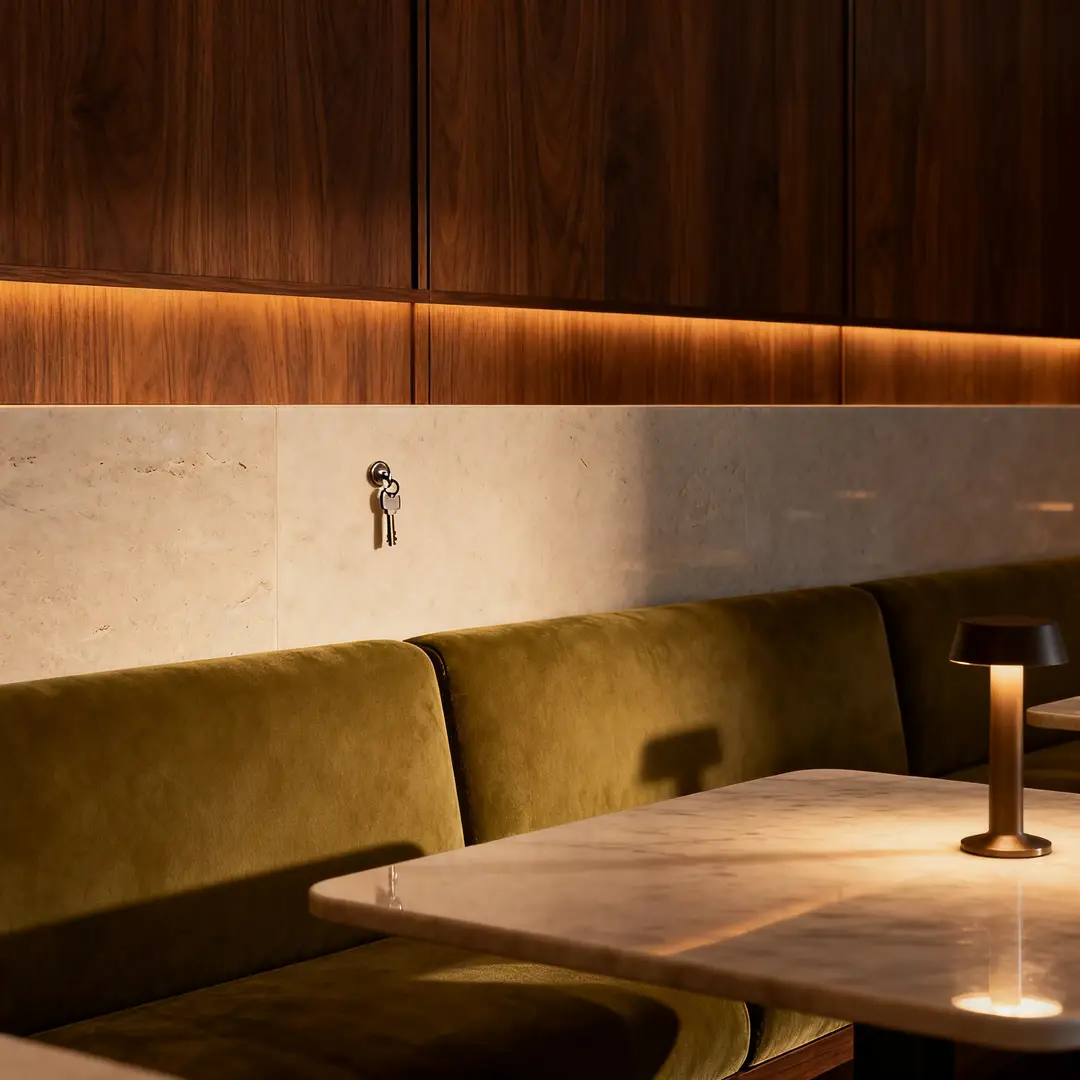
A hotel lounge core visual featuring clean materials, controlled lighting, and a polished hospitality vibe.

Hotel Lounge Core Visual

Vetted industry-standard Prompt best-practice generation workflow guide

[Core Scene] + [Materials] + [Camera Angle] + [Lighting] + [Hospitality Vibe]

Explore Full prompt Documentation and Technical SpecsShow Entire Detailed Breakdown

Thorough prompt Breakdown and Summary

Create a polished hotel lounge core visual with walnut paneling, pale stone surfaces, olive-toned upholstery, and soft low evening lighting. Use a wide, grounded camera angle, clean composition, and a premium hospitality vibe perfect for campaign planning or design review decks.

Key Functional Building Blocks That Allow This Prompt To Produce Exceptional, High-quality Outputs

Seedream 4 performs better when the prompt outlines a commercial scene with clear material and lighting guidance.

Target Final Generated Project Result

A polished hospitality concept image built for campaign planning and design review cycles.

Pro Insider Tips for Creative Industry Specialists

  • Ground your request around the space’s core material story.
  • Stick to a straightforward, realistic camera angle for natural results.
Beauty & Skincare Creative Visual

Top-tier prompt Alignment Benchmark Criteria

Ideal for beauty visuals that feel polished, calm, and ready for brand stakeholder review.

An editorial serum still life with serene palette control and polished product detail.

Editorial Serum Still Life Setup

Vetted industry-standard Prompt best-practice generation workflow guide

[Primary Product] + [Surface] + [Lighting] + [Color Palette] + [Editorial Vibe]

Explore Full prompt Documentation and Technical SpecsShow Entire Detailed Breakdown

Thorough prompt Breakdown and Summary

Craft an editorial serum still life arranged on pale stone, with soft morning side lighting, muted sage and ivory accents, subtle glass reflections, and a serene, premium skincare vibe. The finished image should feel polished and commercial instead of experimental.

Key Functional Building Blocks That Allow This Prompt To Produce Exceptional, High-quality Outputs

The prompt aligns the product, color palette, and desired tone clearly, helping Seedream 4 deliver a polished, commercial-ready outcome.

Target Final Generated Project Result

A clean, focused beauty still life for brand creative direction and campaign review.

Pro Insider Tips for Creative Industry Specialists

  • Minimize extra props when the product is the central focus of the shot.
  • Stick to one cohesive, serene color palette instead of mixing multiple conflicting color schemes.
Editorial Draft Work

Top-tier prompt Alignment Benchmark Criteria

Perfect for commercial editorial shots that need polishing while leaving room for final tweaks.

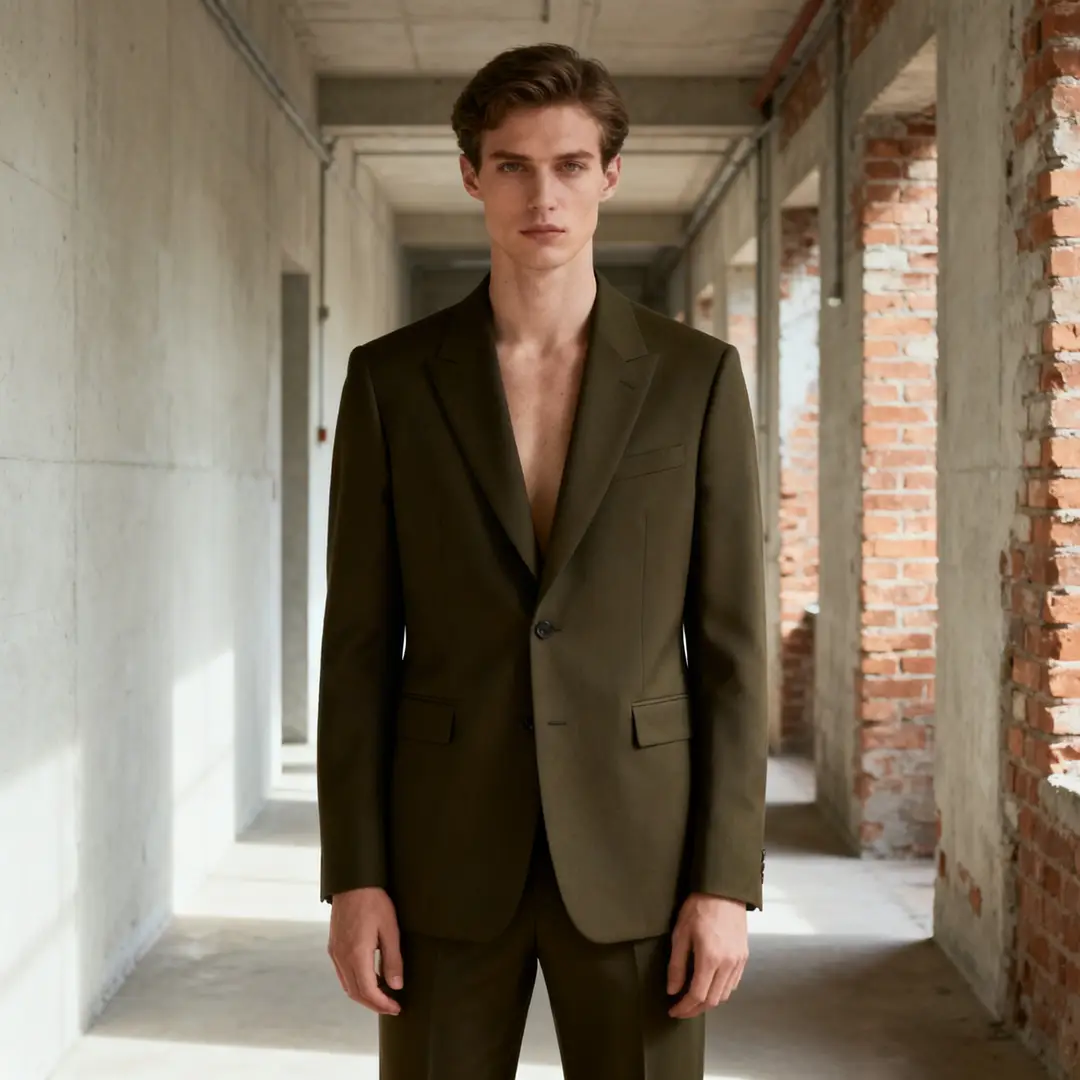
An editorial fashion shot with restrained styling and polished commercial lighting.

Editorial Fashion Shot

Vetted industry-standard Prompt best-practice generation workflow guide

[Subject] + [Wardrobe] + [Location] + [Lighting] + [Editorial Vibe]

Explore Full prompt Documentation and Technical SpecsShow Entire Detailed Breakdown

Thorough prompt Breakdown and Summary

Create an editorial fashion shot featuring a model in dark olive tailoring standing in a pale industrial corridor. Use soft directional lighting, understated styling, natural posture, and a premium editorial vibe that feels review-ready without being overly bold.

Key Functional Building Blocks That Allow This Prompt To Produce Exceptional, High-quality Outputs

Seedream 4 executes clear wardrobe and lighting briefs well when the desired tone is curated and controlled.

Target Final Generated Project Result

A commercial editorial concept built for fashion and brand stakeholder review.

Pro Insider Tips for Creative Industry Specialists

  • Match the wardrobe and location to the same tonal family for cohesive results.
  • Stick to one clear editorial direction instead of combining multiple conflicting reference images.
Lifestyle Campaign Work

Top-tier prompt Alignment Benchmark Criteria

Great for lifestyle campaign visuals that need a polished, realistic commercial aesthetic.

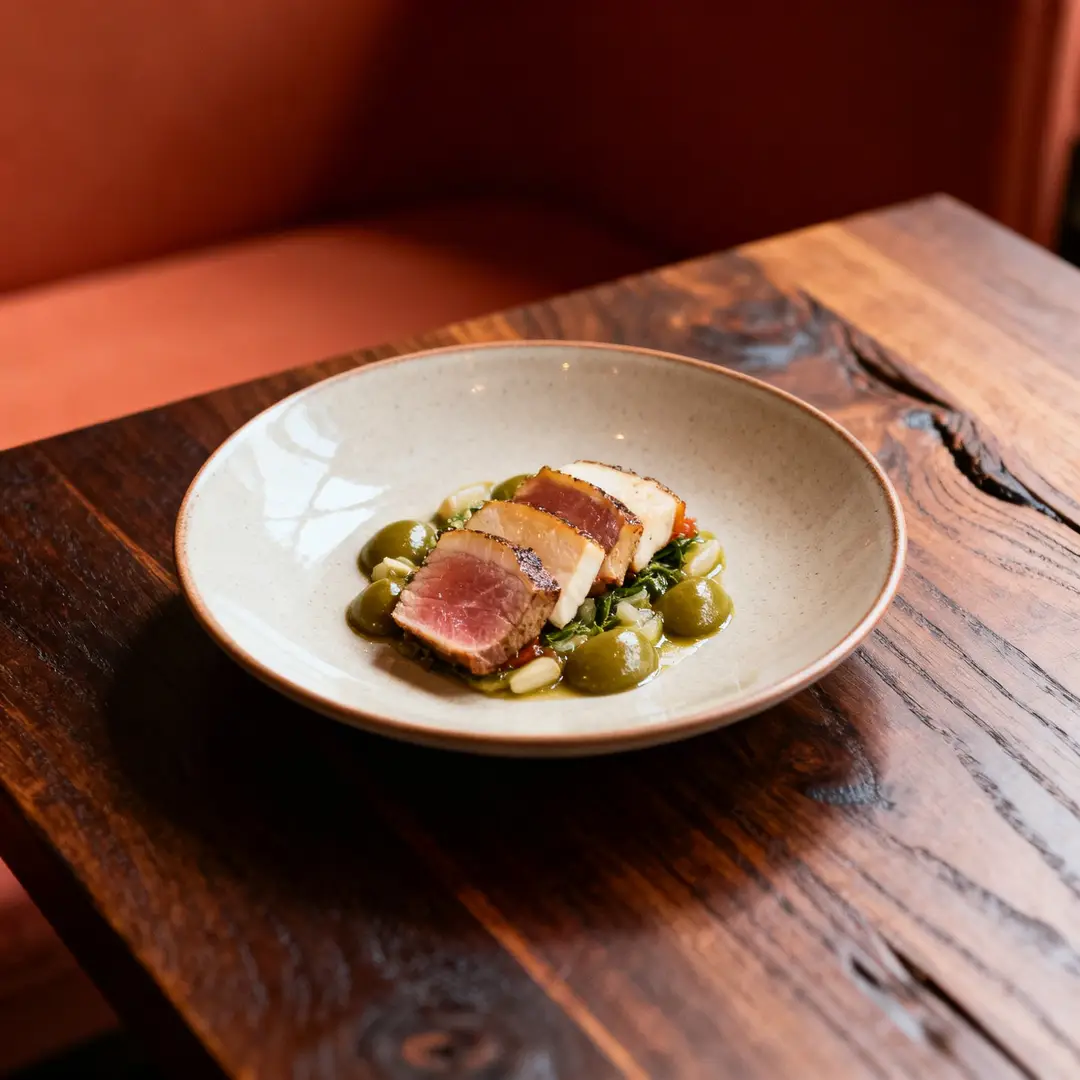
A restaurant campaign shot with polished lighting, balanced palette, and a credible commercial vibe.

Restaurant Campaign Shot

Vetted industry-standard Prompt best-practice generation workflow guide

[Core Subject] + [Environment] + [Lighting] + [Color Palette] + [Campaign Backstory]

Explore Full prompt Documentation and Technical SpecsShow Entire Detailed Breakdown

Thorough prompt Breakdown and Summary

Craft a restaurant campaign shot highlighting a single plated dish on a dark wood table, with warm ambient lighting, muted terracotta and olive accents, and a refined hospitality vibe. The image should read as a commercial campaign draft, not a casual smartphone snapshot.

Key Functional Building Blocks That Allow This Prompt To Produce Exceptional, High-quality Outputs

The prompt gives Seedream 4 a single core subject, environment, and commercial context, leading to a focused, polished final scene.

Target Final Generated Project Result

A polished food and hospitality campaign concept ideal for brand review.

Pro Insider Tips for Creative Industry Specialists

  • Clearly note the commercial use case if the image should not read as a casual, unplanned shot.
  • Stick to a muted color palette when the food or central subject needs to be the main focus.
When to Choose Seedream 4

Select Seedream 4 When You Need a Reliable Hosted Workflow & Professional Commercial Outputs

Seedream 4 is the right choice when you need polished campaign and review visuals via a dependable hosted process, before moving to newer Seedream family options.

Choose Seedream 4 When Reliable Hosted Iteration Matters More Than the Newest Family Option

Use this tool for campaign drafts, product mood boards, hospitality scenes, and other commercial visuals that benefit from a consistent, polished generation process.

Explore Alternate Models When Newer Variants or Unique Strengths Fit Better

Opt for Seedream 4.5 for enhanced high-resolution polish, Seedream 5.0 for the latest Seedream family release, and GPT-4o when text rendering and layout-aware editing are top priorities.

Creator & Community Feedback

Video Tutorials & Independent Creator Reviews for Seedream 4

These videos demonstrate how creators use Seedream 4 for product visual work and practical hosted generation, serving as independent validation of the polished commercial workflow on this page.

Curated Gallery of AI Video Generation Creations

FAQs

FAQ

All About AI Santa Video and Our Official Platform aisantavideo.pro

What is Seedream 4?

Seedream 4 is a proven, core member of the Seedream generation suite, engineered for refined image creation and reference-aligned editing via a fully hosted, dependable process on this platform.

What is Seedream 4 best for?

Seedream 4 excels with campaign drafts, editorial frames, product mood boards, hospitality design concepts, and other commercial visual projects that benefit from a consistent, hosted generation workflow.

Does Seedream 4 support image input here?

Yes, natively. On this platform, Seedream 4 lets you upload up to ten reference images—perfect for aligning product direction, color palettes, and visuals where multiple source assets shape the final result.

Which resolutions and aspect ratios does Seedream 4 support here?

Seedream 4 offers support for 1K, 2K, and 4K on this platform. Compatible aspect ratios include 1:1, 4:3, 3:4, 16:9, 9:16, 3:2, and 2:3.

How do I write better Seedream 4 prompts?

To craft better Seedream 4 prompts, start by defining your core subject, commercial context, and exact visual tone. This model delivers optimal results when the prompt clearly details materials, lighting, and intended use case, rather than relying on vague, generic style terms.

When should I use Seedream 4 instead of Seedream 4.5 or 5.0?

Select Seedream 4 when you prioritize the stable, well-established functionality of the Seedream lineup and a reliable hosted workflow. Opt for Seedream 4.5 if ultra-high-resolution polish is your primary need. Use Seedream 5.0 for the latest Seedream family update with expanded multi-image reference capabilities.

Is Seedream 4 good for campaign and editorial visuals?

Absolutely. Seedream 4 is a strong choice for campaign drafts, editorial frames, and commercial direction visual work, producing polished hosted results without overly dramatic stylization.

Can I use Seedream 4 images commercially?

For professional production projects, images generated with Seedream 4 should be evaluated against your team’s commercial publishing rules and the platform’s relevant terms, just like outputs from any hosted model. Commercial eligibility depends on your project’s specific requirements and internal protocols.

Still have unanswered questions? Our dedicated support team is ready to help you

Related Image Generation Models

Compare Seedream 4 to Other Image Generation Tools on This Platform

If Seedream 4 isn’t the right fit, review these model pages to find options with enhanced high-resolution polish, the latest Seedream updates, or stronger text-focused editing features.

Seedream 4.5 Image Generation Tool

Try Seedream 4.5 when you want a more refined high-resolution generation workflow in the same Seedream family.

Browse Our Curated Collection of Linked AI Models

Seedream 5.0 Image Generation Tool

Compare with Seedream 5.0 for the most recent Seedream family update available on this platform.

Browse Our Curated Collection of Linked AI Models

GPT-4o Image Generation Tool

Use GPT-4o when text rendering and layout-aware editing are more critical than a dedicated commercial image generation workflow.

Browse Our Curated Collection of Linked AI Models

Seedance Pro Image Generation Tool

Compare with Seedance Pro when you want an alternate high-fidelity hosted workflow for structured creative briefs.

Browse Our Curated Collection of Linked AI Models

Try Seedream 4 on This Platform

Launch the generator, start with a clear commercial creative brief, and refine outputs via Seedream 4’s polished hosted process on this page.

Resources
  • AI Santa Video
  • Blog
  • Create
  • Scenes
  • Works
  • Prompts
  • Image to Prompt
  • Batch Image to Prompt
Company & Legal
  • About
  • Contact
  • Privacy Policy
  • Terms of Service
  • Refund Policy
Image Models
  • Z-Image
  • GPT-4o
  • Flux 2
  • Flux 2 Pro
  • Flux 2 Klein
  • Qwen Image 2
  • Seedream 4.0
  • Seedream 4.5
  • Seedream 5.0
  • Grok Imagine
  • Nano Banana Pro
  • NanoBanana Flash
  • Nano Banana 2
Video Models
  • Google Veo 3.1
  • Google Veo 3.1 Lite
  • Google Veo 3.1 Pro
  • Seedance 1.5 Pro
  • Seedance Fast
  • Seedance Quality
  • Seedance 2.0
  • Hailuo 02
  • Kling v2.6
  • Kling v2.5 Turbo
  • Kling v2.1
  • Kling v2.1 Master
  • Kling O1
  • Kling v3.0
  • Kling v3.0 Pro
LogoAI Santa Video

Powered by santa video AI | Fast Video Generation | Professional Quality

TwitterX (Twitter)Email

This website is an independent third-party service built around AI Santa Video workflows. We are not the official website for AI Santa Video, and all product names, model names, and trademarks belong to their respective owners.

© 2026 AI Santa Video All Rights Reserved. CLEANCUT RAZOD LLC

[email protected]